AI-Powered Code Review 2026: Free Tools for Automated Code Review
AI-powered code review is transforming how developers check code. Discover the best free AI tools for automated review — Claude Code, Cline, Aider, OpenCode. Set up in 3 steps with a free API from DOUGH.ID.
AI-Powered Code Review 2026: Tools Gratis untuk Review Kode Otomatis

Ringkasan: AI-powered code review mengubah cara developer mengecek kode di 2026. Tidak perlu lagi menunggu rekan tim mereview berjam-jam — AI sekarang bisa mendeteksi bug, kerentanan keamanan, dan inkonsistensi kode dalam hitungan detik. Dan yang terbaik? Banyak tools AI code review berkualitas yang sepenuhnya gratis.
Kenapa AI Code Review?
Setiap developer tahu: code review itu penting, tapi lambat. Pull request bisa mengantri berjam-jam. Review manual melewatkan bug halus. Dan junior developer sering gak dapat feedback berkualitas.
AI code review menyelesaikan semua ini:
Instant feedback — hasil review muncul dalam detik, bukan jam Konsisten — AI tidak lelah, tidak bad mood, selalu pakai standar yang sama Deteksi bug halus — null pointer, race condition, SQL injection yang reviewer manusia sering lewatkan Keamanan built-in — tools AI modern scan OWASP Top 10 otomatis Menghemat waktu — reviewer manusia tinggal verifikasi, bukan cari jarum di tumpukan jerami
Tools AI Code Review Terbaik 2026
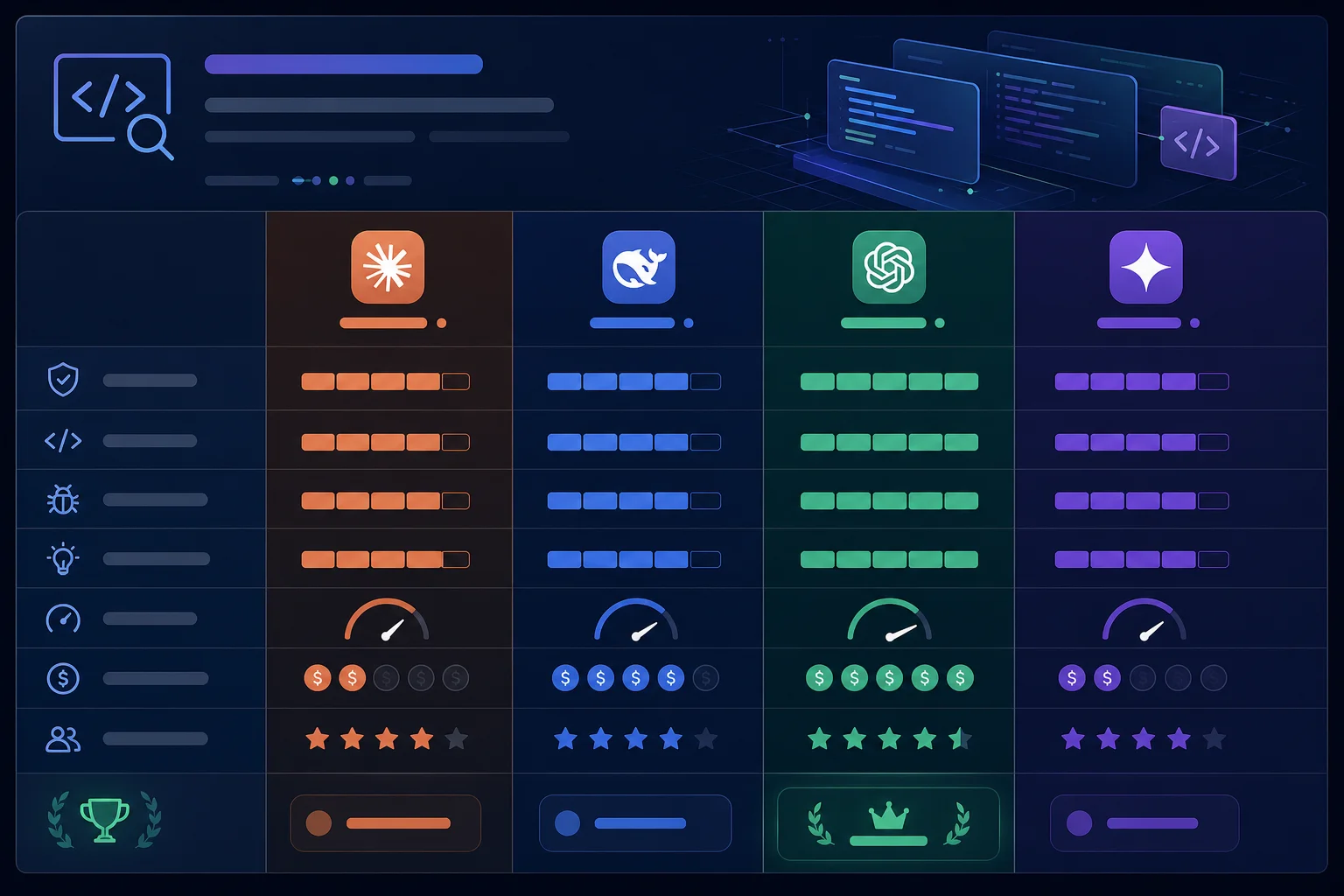
1. Claude Code — Best Overall untuk Code Review
Anthropic's Claude Code adalah AI coding agent yang bisa kamu jalankan langsung dari terminal. Kelebihannya:
Context-aware — membaca seluruh codebase kamu, bukan cuma diff Reasoning kuat — menjelaskan BUKAN hanya APA yang salah, tapi KENAPA salah Multi-file analysis — paham dampak perubahan di satu file ke file lain Gratis — via DOUGH.ID kamu bisa akses Claude tanpa biaya
Cara pakai:
claude "Review pull request ini, cek security issues,
dan kasih saran perbaikan dengan contoh kode"
2. Cline (VS Code) — Best untuk IDE Integration
Cline adalah AI coding agent open-source yang berjalan di VS Code. Fitur code review-nya:
Inline suggestions — komentar langsung di baris kode Custom rules — kamu bisa definisikan standar tim sendiri Multi-model — support Claude, DeepSeek, GPT, Gemini Gratis selamanya — open-source, tinggal colok API key
3. Aider — Best untuk Git Workflow
Aider terintegrasi langsung dengan Git:
Pre-commit review — otomatis review sebelum commit PR description generator — bikin deskripsi PR otomatis Change log writer — dokumentasi perubahan otomatis Command line native — gak perlu buka IDE
4. OpenCode — Best untuk Self-Hosted
Open-source AI code reviewer yang bisa kamu host sendiri:
Self-hosted — kode kamu gak keluar dari server Customizable — bisa pakai model AI apapun CI/CD ready — integrasi GitHub Actions / GitLab CI Privacy-first — cocok untuk enterprise
Cara Setup AI Code Review GRATIS dengan DOUGH.ID
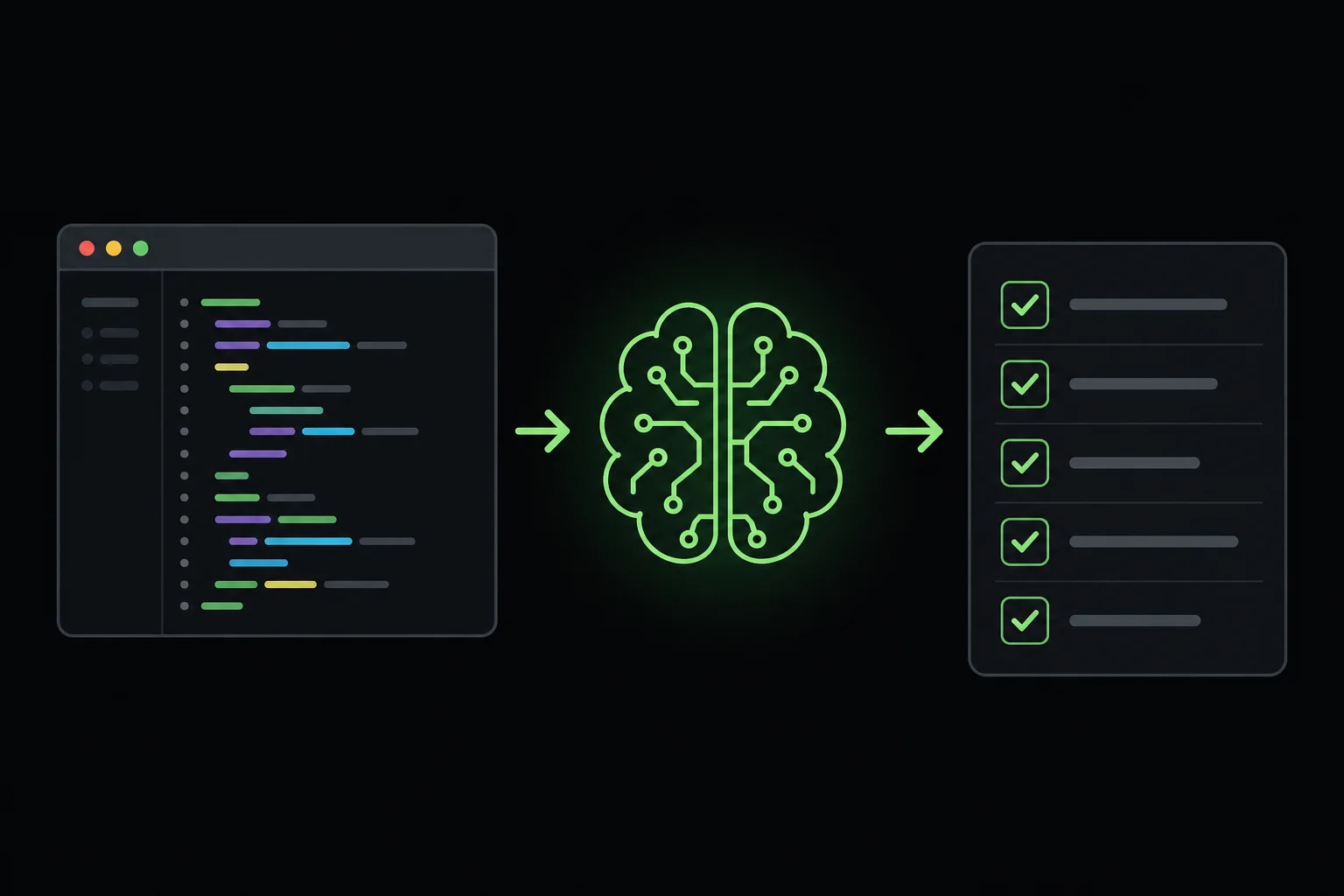
Kamu gak perlu bayar $12-24/bulan untuk tools seperti CodeRabbit. Dengan DOUGH.ID, kamu bisa setup AI code review gratis dalam 3 langkah:
Langkah 1: Dapatkan API Key Gratis
1. Buka dough.id 2. Klik "Get API Key" — login dengan Google 3. Di dashboard, klik "+ Key" — API key langsung jadi
Gratis. Tanpa kartu kredit.
Langkah 2: Pilih Tool + Setup
Pilih salah satu:
Claude Code (terminal):
export ANTHROPIC_API_KEY=sk-dou...port ANTHROPIC_BASE_URL=https://dough.id/api/v1
claude "Review code di folder src/ untuk security vulnerabilities"
Cline (VS Code):
1. Install extension Cline dari VS Code marketplace
2. Settings → API Provider: OpenAI Compatible
3. Base URL: https://dough.id/api/v1
4. API Key: sk-dough-xxx
5. Model: claude-sonnet-4 atau deepseek-v4-pro
Aider (terminal):
export OPENAI_API_KEY=sk-dou...port OPENAI_API_BASE=https://dough.id/api/v1
aider --model openai/deepseek-v4-pro
Langkah 3: Otomatisasi dengan CI/CD
Tambahkan review step di GitHub Actions:
name: AI Code Review
on: [pull_request]
jobs:
  review:
    runs-on: ubuntu-latest
    steps:
      - uses: actions/checkout@v4
      - name: AI Review
        run: |
          git diff origin/main > diff.txt
          cat diff.txt | aider --model openai/claude-sonnet-4 \
            --message "Review security & bugs only. List top 5 issues."
Tips AI Code Review yang Efektif
1. Kasih konteks — prompt yang bagus = review yang bagus. Sebutkan bahasa, framework, dan fokus review
2. Jangan blind trust — AI bisa salah. Selalu verifikasi critical issues
3. Kombinasikan tools — pakai 2-3 tools berbeda untuk coverage maksimal
4. Custom rules — definisikan coding standard tim kamu di prompt
5. Batch review — review beberapa file sekaligus untuk analisis dependensi
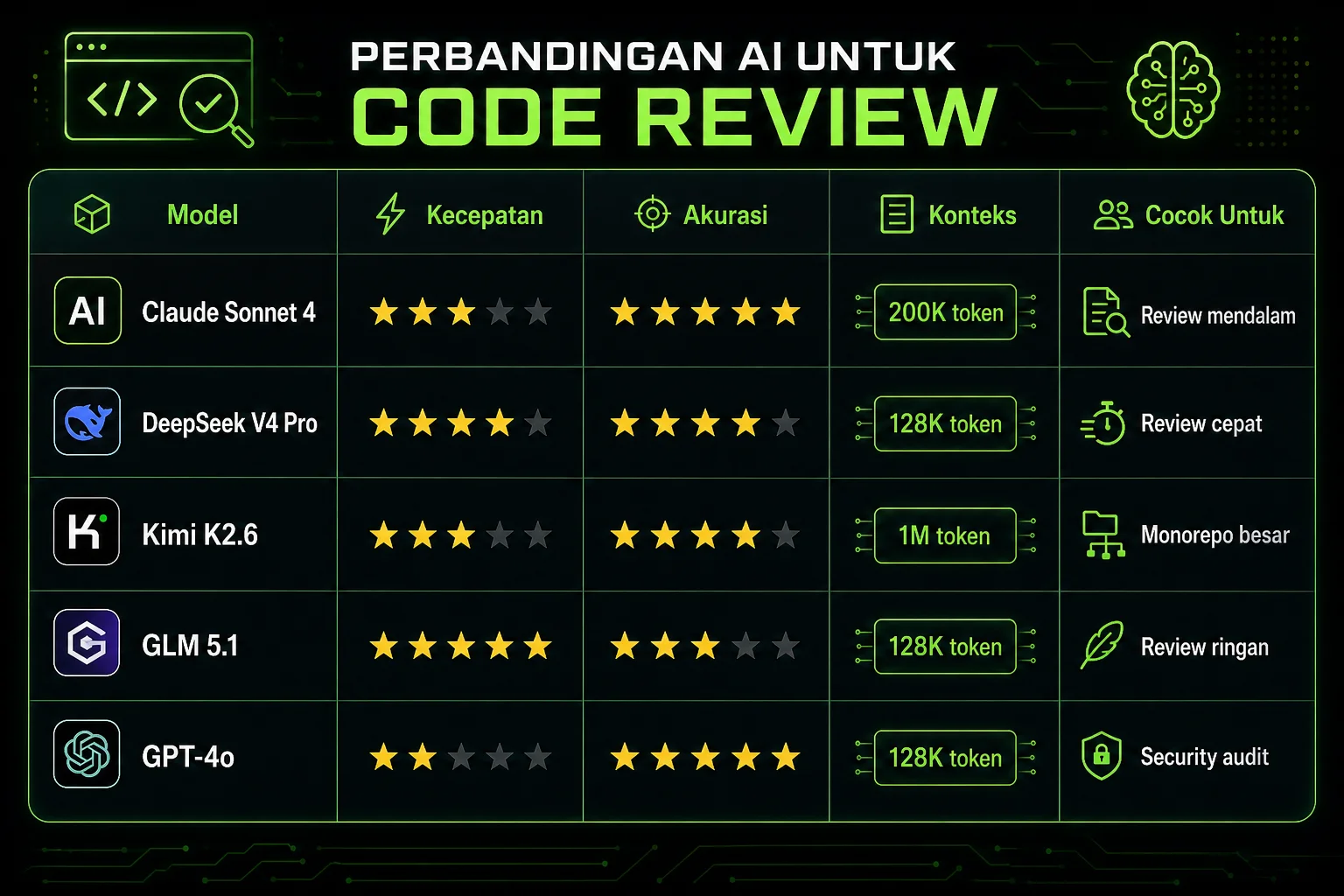
6. Gunakan model berbeda untuk task berbeda — DeepSeek untuk kecepatan, Claude untuk kedalaman
Kesimpulan
AI code review bukan lagi nice-to-have — di 2026, ini mandatory. Tools gratis seperti Claude Code, Cline, dan Aider yang dipadukan dengan API gratis dari DOUGH.ID memberikan hasil yang setara dengan tools berbayar $24/bulan.
Mulai gratis sekarang di dough.id — tanpa kartu kredit, tanpa biaya tersembunyi.
Kenapa AI Code Review?
Setiap developer tahu: code review itu penting, tapi lambat. Pull request bisa mengantri berjam-jam. Review manual melewatkan bug halus. Dan junior developer sering gak dapat feedback berkualitas.
AI code review menyelesaikan semua ini:
Instant feedback — hasil review muncul dalam detik, bukan jam Konsisten — AI tidak lelah, tidak bad mood, selalu pakai standar yang sama Deteksi bug halus — null pointer, race condition, SQL injection yang reviewer manusia sering lewatkan Keamanan built-in — tools AI modern scan OWASP Top 10 otomatis Menghemat waktu — reviewer manusia tinggal verifikasi, bukan cari jarum di tumpukan jerami
Tools AI Code Review Terbaik 2026
1. Claude Code — Best Overall untuk Code Review
Anthropic's Claude Code adalah AI coding agent yang bisa kamu jalankan langsung dari terminal. Kelebihannya:
Context-aware — membaca seluruh codebase kamu, bukan cuma diff Reasoning kuat — menjelaskan BUKAN hanya APA yang salah, tapi KENAPA salah Multi-file analysis — paham dampak perubahan di satu file ke file lain Gratis — via DOUGH.ID kamu bisa akses Claude tanpa biaya
Cara pakai:
claude "Review pull request ini, cek security issues,
dan kasih saran perbaikan dengan contoh kode"
2. Cline (VS Code) — Best untuk IDE Integration
Cline adalah AI coding agent open-source yang berjalan di VS Code. Fitur code review-nya:
Inline suggestions — komentar langsung di baris kode Custom rules — kamu bisa definisikan standar tim sendiri Multi-model — support Claude, DeepSeek, GPT, Gemini Gratis selamanya — open-source, tinggal colok API key
3. Aider — Best untuk Git Workflow
Aider terintegrasi langsung dengan Git:
Pre-commit review — otomatis review sebelum commit PR description generator — bikin deskripsi PR otomatis Change log writer — dokumentasi perubahan otomatis Command line native — gak perlu buka IDE
4. OpenCode — Best untuk Self-Hosted
Open-source AI code reviewer yang bisa kamu host sendiri:
Self-hosted — kode kamu gak keluar dari server Customizable — bisa pakai model AI apapun CI/CD ready — integrasi GitHub Actions / GitLab CI Privacy-first — cocok untuk enterprise
Cara Setup AI Code Review GRATIS dengan DOUGH.ID
Kamu gak perlu bayar $12-24/bulan untuk tools seperti CodeRabbit. Dengan DOUGH.ID, kamu bisa setup AI code review gratis dalam 3 langkah:
Langkah 1: Dapatkan API Key Gratis
1. Buka dough.id 2. Klik "Get API Key" — login dengan Google 3. Di dashboard, klik "+ Key" — API key langsung jadi
Gratis. Tanpa kartu kredit.
Langkah 2: Pilih Tool + Setup
Pilih salah satu:
Claude Code (terminal):
export ANTHROPIC_API_KEY=sk-dou...port ANTHROPIC_BASE_URL=https://dough.id/api/v1
claude "Review code di folder src/ untuk security vulnerabilities"
Cline (VS Code):
1. Install extension Cline dari VS Code marketplace
2. Settings → API Provider: OpenAI Compatible
3. Base URL: https://dough.id/api/v1
4. API Key: sk-dough-xxx
5. Model: claude-sonnet-4 atau deepseek-v4-pro
Aider (terminal):
export OPENAI_API_KEY=sk-dou...port OPENAI_API_BASE=https://dough.id/api/v1
aider --model openai/deepseek-v4-pro
Langkah 3: Otomatisasi dengan CI/CD
Tambahkan review step di GitHub Actions:
name: AI Code Review
on: [pull_request]
jobs:
  review:
    runs-on: ubuntu-latest
    steps:
      - uses: actions/checkout@v4
      - name: AI Review
        run: |
          git diff origin/main > diff.txt
          cat diff.txt | aider --model openai/claude-sonnet-4 \
            --message "Review security & bugs only. List top 5 issues."
Tips AI Code Review yang Efektif
1. Kasih konteks — prompt yang bagus = review yang bagus. Sebutkan bahasa, framework, dan fokus review
2. Jangan blind trust — AI bisa salah. Selalu verifikasi critical issues
3. Kombinasikan tools — pakai 2-3 tools berbeda untuk coverage maksimal
4. Custom rules — definisikan coding standard tim kamu di prompt
5. Batch review — review beberapa file sekaligus untuk analisis dependensi
6. Gunakan model berbeda untuk task berbeda — DeepSeek untuk kecepatan, Claude untuk kedalaman
Kesimpulan
AI code review bukan lagi nice-to-have — di 2026, ini mandatory. Tools gratis seperti Claude Code, Cline, dan Aider yang dipadukan dengan API gratis dari DOUGH.ID memberikan hasil yang setara dengan tools berbayar $24/bulan.
Mulai gratis sekarang di dough.id — tanpa kartu kredit, tanpa biaya tersembunyi.